How Orders Arrive at Your 3PL
The whole point of Solid Bundles: your fulfillment provider needs zero special handling. Orders contain component SKUs as ordinary line items at the moment the order is created, not rewritten afterwards, not hidden inside a "bundle" line.
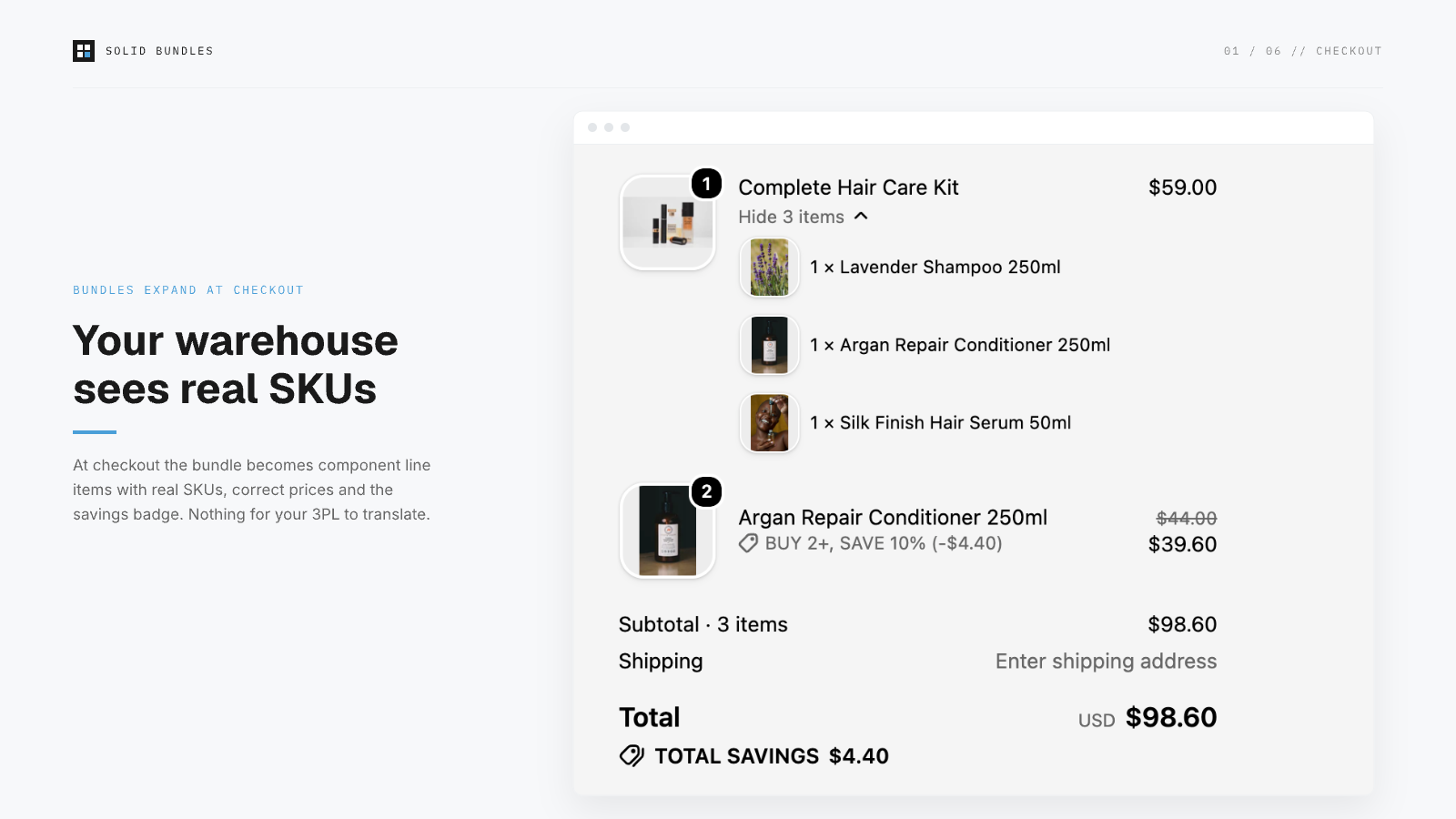
What the order looks like
A customer buys "Hair Care Set" (2× shampoo + 1× conditioner, bundle price $45):
| LINE ITEM | SKU | QTY | PRICE | ATTRIBUTES |
|---|---|---|---|---|
| Shampoo | SHAMPOO-250 | 2 | $12.50 | _bundle_parent: HAIR-SET |
| Conditioner | COND-250 | 1 | $20.00 | _bundle_parent: HAIR-SET |
The fulfillment order (what your 3PL's Shopify integration imports) lists the same component lines. Inventory decrements on the components, never on a phantom bundle SKU.
Why this matters: the failure mode we designed against
Most bundle apps work at the presentation layer: the order contains one "Bundle" line, and either your 3PL can't map it to pickable items, or the app edits the order after creation to swap in components. Post-order editing races your 3PL's import: if they pull the order before the rewrite lands, they ship the wrong thing. Peak-season order volume makes the race worse exactly when mistakes are most expensive.
Solid Bundles uses Shopify's Cart Transform API: the expansion happens inside checkout, so there is no moment where the order exists without component SKUs. There is nothing to race.
Provider notes
- ShipBob / ShipHero / Shipmonk / Amazon MCF: standard Shopify order import picks up component lines automatically. No kitting configuration needed unless you physically pre-kit.
- Pre-kitted stock: if you physically pre-assemble bundles and stock them as one unit, a fixed-bundle app isn't what you want. Create a normal product with its own SKU instead. Solid Bundles is for pick-from-components fulfillment.
- Barcode workflows: component lines carry the variant's own barcode fields; scanners resolve normally.
- Partial refunds/returns: refunds hit specific component lines, so your 3PL's return processing maps 1:1.
Verify it yourself
App → Verification runs real test carts and shows resulting totals per market. For a full dry run: place a test order (Bogus Gateway on a dev store, or a 100% discount code) and inspect what your 3PL portal imports.